9 Best Tablet OBD-II Scanners (2026 Review Guide)
The Best Ranked Tablet OBD-II Scanner
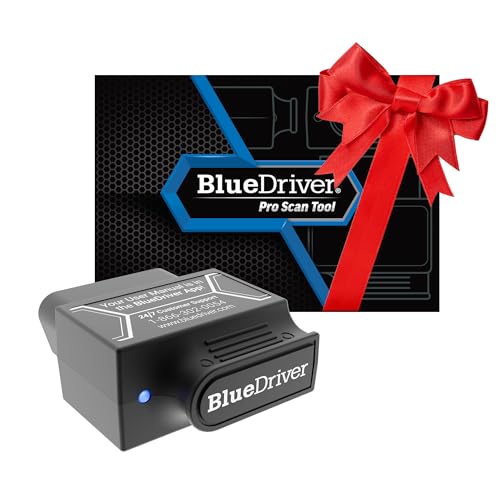
BlueDriver Bluetooth OBD2 Scan Tool for Vehicle Diagnostics
BlueDriver is a Bluetooth-enabled OBD2 scan tool that allows you to read and clear trouble codes from your vehicle's engine and other systems with ease. Designed for all gas-powered cars from 1996 onward, it delivers professional-grade diagnostics, live data monitoring, and repair guidance without any subscription fees. Compatible with both iPhone and Android devices, BlueDriver helps you maintain your vehicle efficiently and confidently.
Key Features:
- Professional-grade OBD2 scanner for accurate vehicle diagnostics
- Reads and clears engine, ABS, airbag, SRS, and TPMS codes
- Provides unlimited repair reports with possible causes and solutions
- Live data monitoring for real-time vehicle health updates
- Wireless Bluetooth connection for easy use with your smartphone or tablet
- User-friendly app with access to repair videos and step-by-step instructions
- No subscription fees or additional in-app purchases required
- Compatible with all gas vehicles from 1996 and newer, including major brands
- 24/7 professional support through phone and in-app chat
Pros
- Comprehensive diagnostics covering over 7,000 vehicle issues
- Easy wireless connection via Bluetooth
- Includes detailed repair reports and helpful videos
Cons
- Limited to gas-powered vehicles only
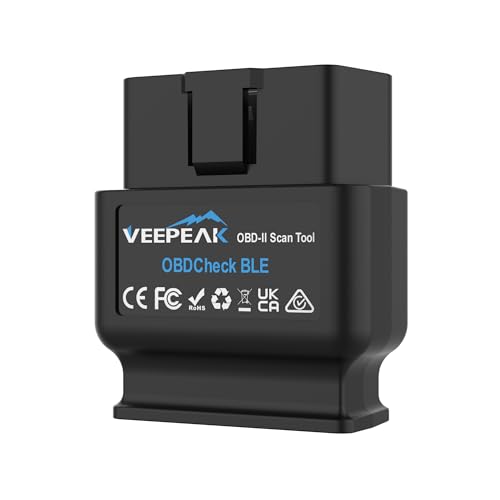
Veepeak Bluetooth OBD-II Car Diagnostic Scanner
The Veepeak Bluetooth OBD-II scanner is a wireless diagnostic tool compatible with most 1996 and newer vehicles. It reads and clears engine trouble codes, provides real-time sensor data, and helps monitor vehicle health through various supported apps on iOS and Android devices.
Key Features:
- Reads and clears check engine light trouble codes, displays freeze frame data, I/M readiness, and live sensor information
- Compatible with most US cars and light trucks from 1996 onwards for generic OBD-II functions; supports limited EV models
- Connects via Bluetooth LE or Classic to Android devices and Bluetooth LE to iOS devices; requires in-app Bluetooth connection for iOS
- Works with multiple apps including Car Scanner, Torque (Android), BimmerCode, BimmerLink, OBD JScan, and Dr. Prius
- Advanced diagnostics (ABS, SRS, TPMS) and special functions are limited to certain makes/models and depend on the app used
Pros
- Wide compatibility with vehicles and diagnostic apps
- Provides comprehensive live data and code reading features
- Wireless Bluetooth connection for easy use with smartphones
Cons
- Limited support for advanced diagnostics and special reset functions
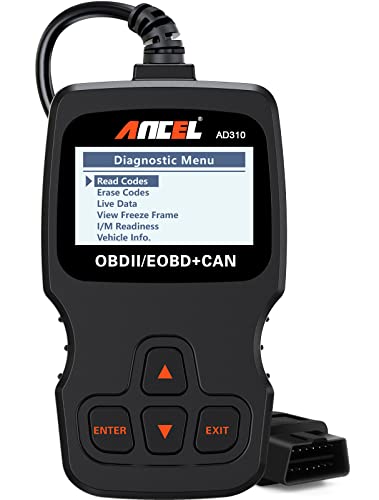
ANCEL AD310 Universal OBD II Engine Code Reader
The ANCEL AD310 is a compact and reliable OBD II scanner designed to quickly read and clear emission-related engine fault codes on vehicles from 1996 and newer. It provides accurate diagnostics with a clear display and supports all major OBDII protocols, making it an essential tool for car owners and mechanics to identify check engine light causes and monitor vehicle health efficiently.
Key Features:
- Reads and clears emission-related diagnostic trouble codes with ease
- Displays live data, freeze frame data, I/M readiness status, and vehicle information
- Compact and sturdy design with a 2.5-foot durable cable for easy use
- No batteries or charger needed; powered directly from the vehicle's OBDII port
- Supports all major OBDII protocols including KWP2000, J1850 VPW, ISO9141, J1850 PWM, and CAN
- Compatible with most 1996+ US, 2000+ EU, Asian cars, light trucks, SUVs, and newer OBD2 & CAN vehicles
Pros
- Accurate and fast diagnostics for emission-related engine issues
- Easy to use with a clear, large display and labeled buttons
- Portable and lightweight for convenient use at home or on the go
Cons
- Only diagnoses emission-related fault codes, not all engine issues
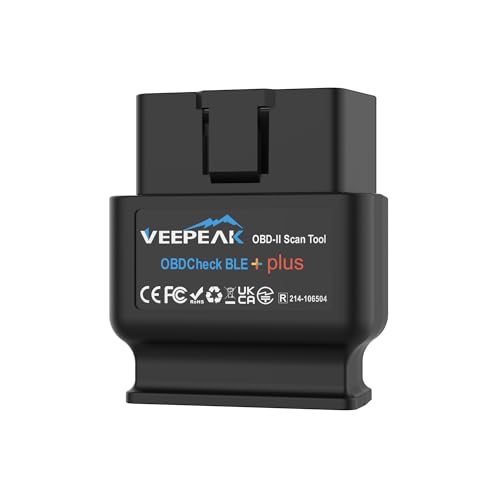
Veepeak OBDCheck BLE+ Bluetooth OBD II Scanner for iOS & Android
The Veepeak OBDCheck BLE+ is a wireless OBD II scanner designed to help car owners diagnose engine problems and monitor vehicle health through their iOS or Android devices. It reads and clears check engine codes, displays live data, and supports most 1996 and newer OBD-II compliant vehicles. Compatible with multiple third-party apps, this scanner is ideal for those looking for a straightforward diagnostic tool without complex full-system features.
Key Features:
- Reads and clears check engine trouble codes
- Displays freeze frame data, I/M readiness, and live vehicle data
- Compatible with most 1996 and newer OBD-II compliant cars and light trucks
- Supports various third-party apps including Car Scanner, OBD Fusion, and Torque
- Connects via Bluetooth LE for iOS and Bluetooth LE/Classic for Android
- Does not support advanced diagnostics like ABS, SRS, or manufacturer-specific functions
- Not compatible with specialized software requiring unique hardware
Pros
- Easy wireless connection to iOS and Android devices
- Works with a wide range of popular diagnostic apps
- Simple interface for reading and clearing engine trouble codes
Cons
- Does not support advanced diagnostics or manufacturer-specific functions
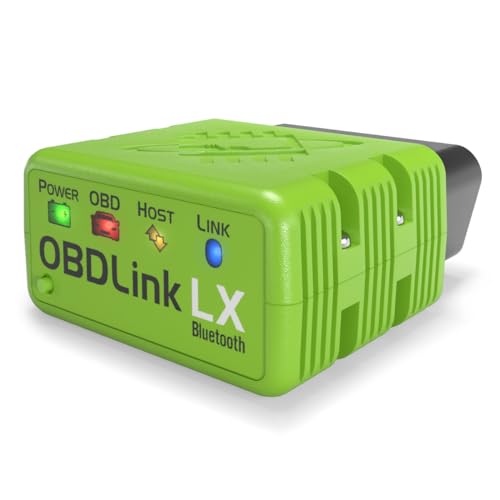
OBDLink LX Bluetooth OBD2 Diagnostic Adapter for Android and Windows
The OBDLink LX Bluetooth Adapter offers a fast and reliable way to diagnose your vehicle using an Android phone or Windows PC. Featuring wireless Bluetooth connectivity and broad compatibility with over 1996 vehicles, this compact tool lets you easily monitor engine diagnostics and performance. It supports popular apps like Torque and MotoScan, making it a versatile choice for car and motorcycle enthusiasts.
Key Features:
- High-speed Bluetooth 3.0 connection for quick and accurate vehicle diagnostics
- Works with Android devices and Windows PCs, not compatible with iOS
- Includes OBDLink app for Android and OBDwiz software for Windows
- Compatible with third-party apps such as Torque, DashCommand, and MotoScan
- Supports all 1996 and newer cars and light trucks sold in the US (excluding hybrids and electric vehicles)
- Safe to leave plugged in without draining car battery
- Secure wireless connection with hacker-proof protection
Pros
- Fast and reliable Bluetooth connection
- Wide vehicle compatibility across multiple models
- Supports popular diagnostic apps for flexibility
Cons
- Not compatible with Apple iOS devices
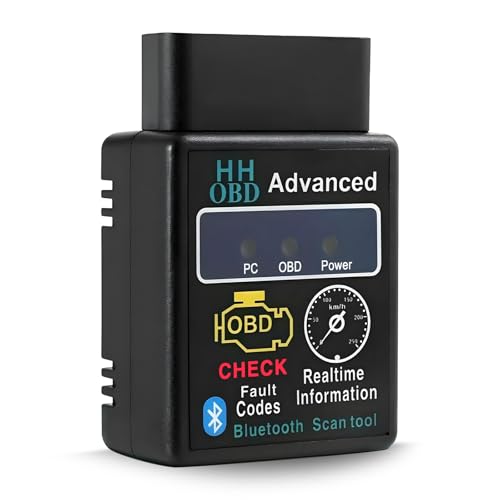
Bluetooth OBD2 Wireless Car Diagnostic Scanner
This Bluetooth OBD2 scanner offers a convenient way to diagnose and clear engine fault codes in real time. Compatible with a wide range of smartphones and PCs, it connects wirelessly via Bluetooth to provide accurate engine performance data. Its durable ABS casing ensures long-lasting use, while easy setup makes it perfect for car owners wanting to monitor vehicle health efficiently.
Key Features:
- Reads and clears engine fault codes instantly to identify vehicle issues
- Wireless Bluetooth connection for easy data access on phones or computers
- Durable ABS shell protects internal components from damage and corrosion
- Simple setup: plug into OBDII port, connect via Bluetooth, and use the app
- Compatible with various smartphones and PCs; check device compatibility before purchase
Pros
- Wireless Bluetooth connectivity eliminates tangled cables
- Durable and corrosion-resistant design ensures long-term reliability
- User-friendly setup and operation suitable for beginners
Cons
- Compatibility may vary; users should verify supported protocols before buying
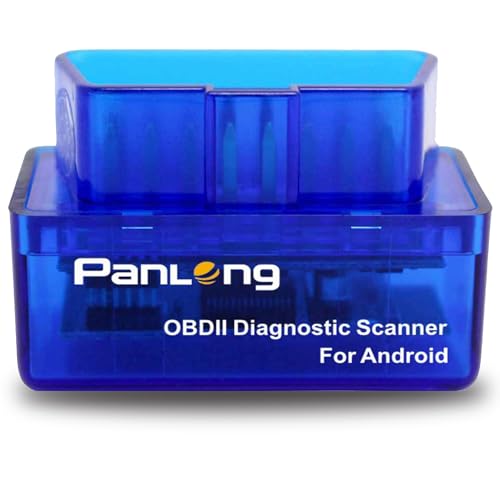
Panlong Bluetooth OBD2 Scanner for Android
The Panlong Bluetooth OBD2 Scanner transforms your Android device into a powerful diagnostic tool that allows you to read and clear engine error codes, monitor sensor data, and turn off the check engine light. Compatible with most 12V gas and light diesel vehicles made after 1996, this scanner saves you money by helping you identify and fix simple issues before visiting a mechanic.
Key Features:
- Connects to Android phones and tablets via Bluetooth
- Reads and clears engine error codes with code descriptions
- Turns off the check engine light quickly and easily
- Displays real-time sensor data for vehicle diagnostics
- Compatible with most 12V gas and light diesel vehicles from 1996 onward
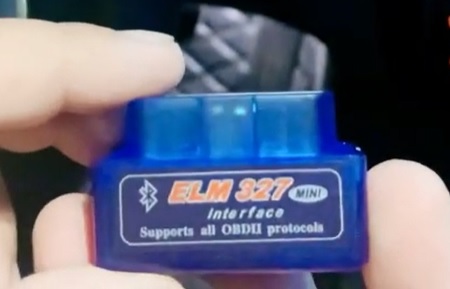
- Supports 9 OBDII protocols and ELM327 standard
- Works with popular Android apps like Torque, Dashcommand, Car Scanner, OBD Fusion, OBD Auto Doctor, and Dr. Prius for hybrids
Pros
- Easy to use with Android devices
- Supports wide range of vehicles and protocols
- Helps diagnose and fix issues without a mechanic
Cons
- Only compatible with Android devices, no iOS support
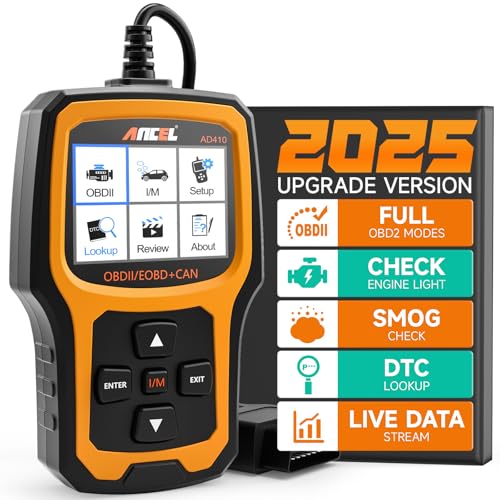
ANCEL AD410 OBD2 Vehicle Code Reader
The ANCEL AD410 is a reliable OBD2 scanner designed for quick fault diagnosis and emissions testing on all OBDII-compliant vehicles from 1996 onward. Featuring a user-friendly color display and comprehensive engine diagnostics, it allows drivers and mechanics to read and clear trouble codes easily, helping save on repair costs and improve vehicle performance.
Key Features:
- Compatible with all 16-pin OBDII vehicles supporting protocols like KWP2000, ISO9141, J1850 VPW, J1850 PWM, and CAN, including US, EU, and Asian models from 1996 and newer.
- Reads and clears stored, pending, and emissions-related codes with over 42,000 built-in DTC definitions for easy fault identification without needing external research.
- Performs advanced engine diagnostics including O2 sensor and EVAP system tests to help optimize fuel efficiency and reduce emissions.
- 2.4-inch true-color TFT display with intuitive interface for straightforward access to diagnostic results and vehicle readiness checks.
- Powered directly by the vehicle's OBDII port, requiring no batteries or chargers; USB cable used only for updates compatible with Windows XP/7/8/10.
Pros
- Wide compatibility with multiple vehicle models and protocols.
- Built-in extensive DTC library eliminates the need for external code lookups.
- User-friendly color display and simple operation suitable for beginners and professionals.
Cons
- Does not support diagnostics for ABS, SRS, transmission, or other non-engine systems.
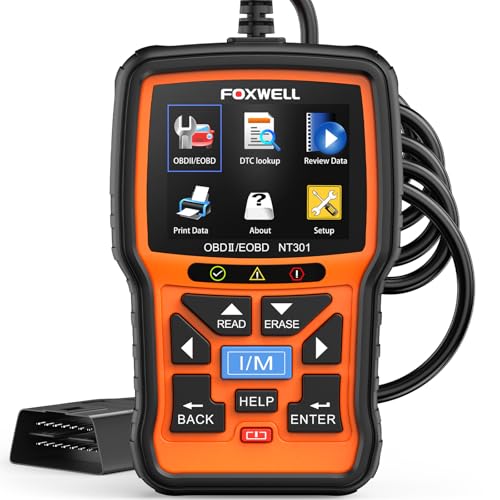
FOXWELL NT301 OBD2 Car Diagnostic Code Reader
The FOXWELL NT301 is an easy-to-use OBD2 scanner designed to quickly read and clear check engine light codes for most 1996 or newer vehicles. It provides accurate live data streaming, emissions readiness status, and VIN retrieval, helping both DIYers and professional mechanics diagnose engine issues with confidence. Its compact, plug-and-play design makes it a handy tool for home garages and auto shops alike.
Key Features:
- Reads and clears diagnostic trouble codes (DTCs) and resets check engine light after repairs
- Displays live vehicle sensor data in graph form for easy trend monitoring
- Retrieves emission readiness status with clear LED and audio indicators
- Compatible with most 12V cars, SUVs, light trucks, and diesel vehicles from 1996 or newer
- Supports multiple OBDII protocols including KWP2000, J1850, ISO9141, and CAN
- Powered directly through the vehicle's OBD2 port, no batteries needed
- Compact 2.8-inch color screen with free lifetime software updates
- One-year warranty with dedicated customer support
Pros
- Simple plug-and-play operation with no software installation required
- Clear and intuitive live data graphs to monitor vehicle performance
- Works on a wide range of vehicle makes and models
Cons
- Does not support advanced system diagnostics like ABS, TPMS, or battery tests
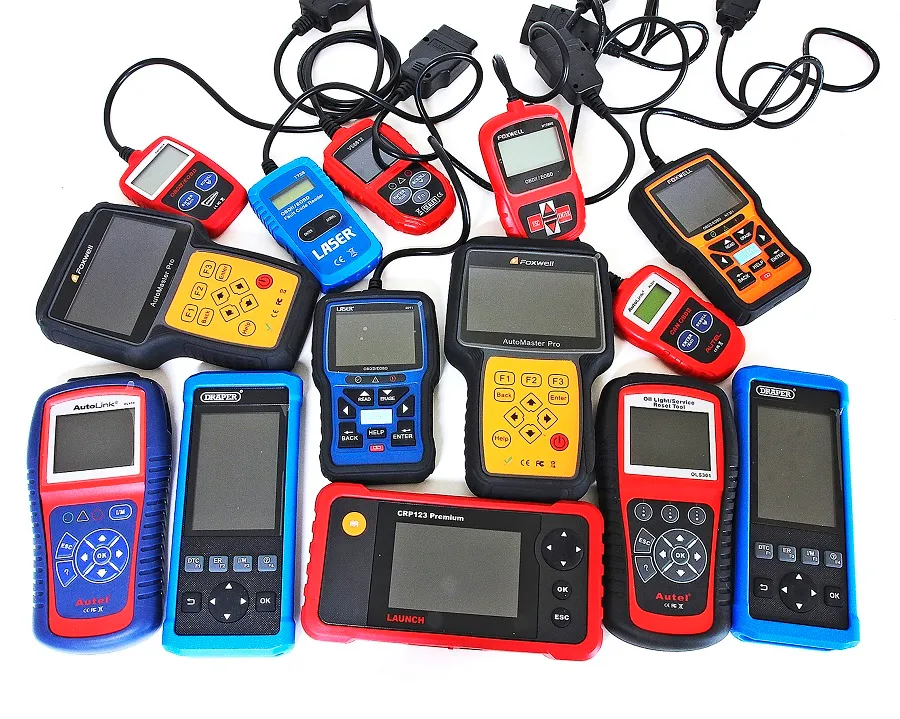
Why Choose a Tablet OBD-II Scanner? The Big Screen Advantage
You know, when it comes to diagnosing car troubles, clarity is king. Imagine squinting at a tiny screen trying to make sense of cryptic error codes while your engine idles. Not fun, right? That's where tablet OBD-II scanners come into play, offering a breath of fresh air with their spacious displays and snappy interfaces.
Tablets marry convenience with high-tech, giving you a display that's both easy on the eyes and rich in detail. And honestly, having that extra screen real estate makes a world of difference when you're trying to understand what's going on under the hood.
What Makes a Tablet OBD-II Scanner Stand Out?
Let me explain , not all scanners are created equal. Some offer more than just the basics, and knowing what to look out for can save you headaches (and cash) later on. Here's the skinny on features worth paying attention to:
Reviews you may find interesting:
7 Best OBD-II Scanners For Mileage Correction (2026 Review Guide)10 Best Car Wheel Cleaners (2026 Review Guide)
9 Best Car Seat Covers For Dogs (2026 Review Guide)
- Compatibility: Make sure it plays well with your car's make and model. Most cover vehicles post-1996, but double-checking never hurts.
- User-Friendly Interface: If you don't want tech headaches, pick one with intuitive, clean apps that guide you through reading codes and data.
- Live Data Streaming: Watching your engine's real-time stats feels almost like having your own pit crew.
- Software Updates: Cars evolve, and so should your scanner. Regular updates keep you ahead of the curve.
- Connectivity: Bluetooth or Wi-Fi options add flexibility in how you connect to your tablet.
These features aren't just checkbox items , they shape how smoothly your diagnostic sessions go and whether you'll ever want to set the device aside halfway through.
Getting Comfortable with Your Tablet OBD-II Scanner
Okay, so picking a scanner with the right specs is just the start. Using it effectively turns you from a passenger in your vehicle's maintenance into the driver. Even if you're not a gearhead, you can get the hang of it. Think about it like reading a new language, there's a bit of decoding, but once you get the basics, you're golden.
Most tablet apps provide explanations of diagnostic trouble codes (DTCs) and sometimes advice on troubleshooting steps. It's not just about spotting a problem but understanding its story. You don't have to be a mechanic to appreciate getting that kind of insight right from your tablet.
Why Bigger Screens Actually Help
Some might say, "Well, can't I just use my phone?" While your smartphone can pull up the job, but the difference in comfort and depth of display is noticeable. Tablets offer:
- Roomier dashboards so you can view multiple data streams at once without scrolling.
- Sharpened clarity that reduces eye strain during extended sessions.
- Better interaction with complex graphs or real-time updates, almost like having a mini-control center in your hands.
When fiddling with data, these aspects lift the experience from fiddly guesswork to confident decision-making.
The Handy Features That Surprise You
Bonus points come from tablet scanners that offer extras beyond simple code reading. For example, some pack in:
- Freeze Frame Data: Snapshots of engine conditions when a fault occurred, invaluable for tricky intermittent issues.
- Vehicle Information Display: Quick access to VIN, ECU info, and more, not your everyday features, but incredibly useful.
- Customizable Alerts: Get notified if certain readings go off the rails while driving.
- Multiple User Profiles: Great if several family members share the same vehicle, each can keep tabs on their own maintenance data.
Honestly, little touches like these get you that feeling of having a trustworthy co-pilot in your vehicle care journey.
So, How Do You Pick the Right One?
Here's the thing: the perfect tablet OBD-II scanner depends on your needs. Are you the hands-on type who likes to get into the nitty-gritty, or more of a casual checker who wants quick info? Consider how often you'll use it, the types of vehicles you have, and your comfort with tech.
It's also smart to think about budget, but don't let price be the only factor. Sometimes spending a bit more upfront saves you from frustration down the line.
Wrapping It Up: The Road Ahead
No one likes feeling helpless when a check engine light flickers on. Tablet OBD-II scanners offer an accessible way to peek under the hood without decoding hieroglyphics or lugging around clunky gear. They let you catch issues early, possibly save on repairs, and maintain peace of mind knowing what's going on with your ride.
You don't have to be a pro mechanic to get a leg up on vehicle diagnosis, sometimes it just takes the right tool with a screen big enough to see what's really happening. So, when you're ready to take control, a tablet OBD-II scanner might just be the partner you need for your automotive adventures.